d <- density(diabetes$bmi)
plot(d)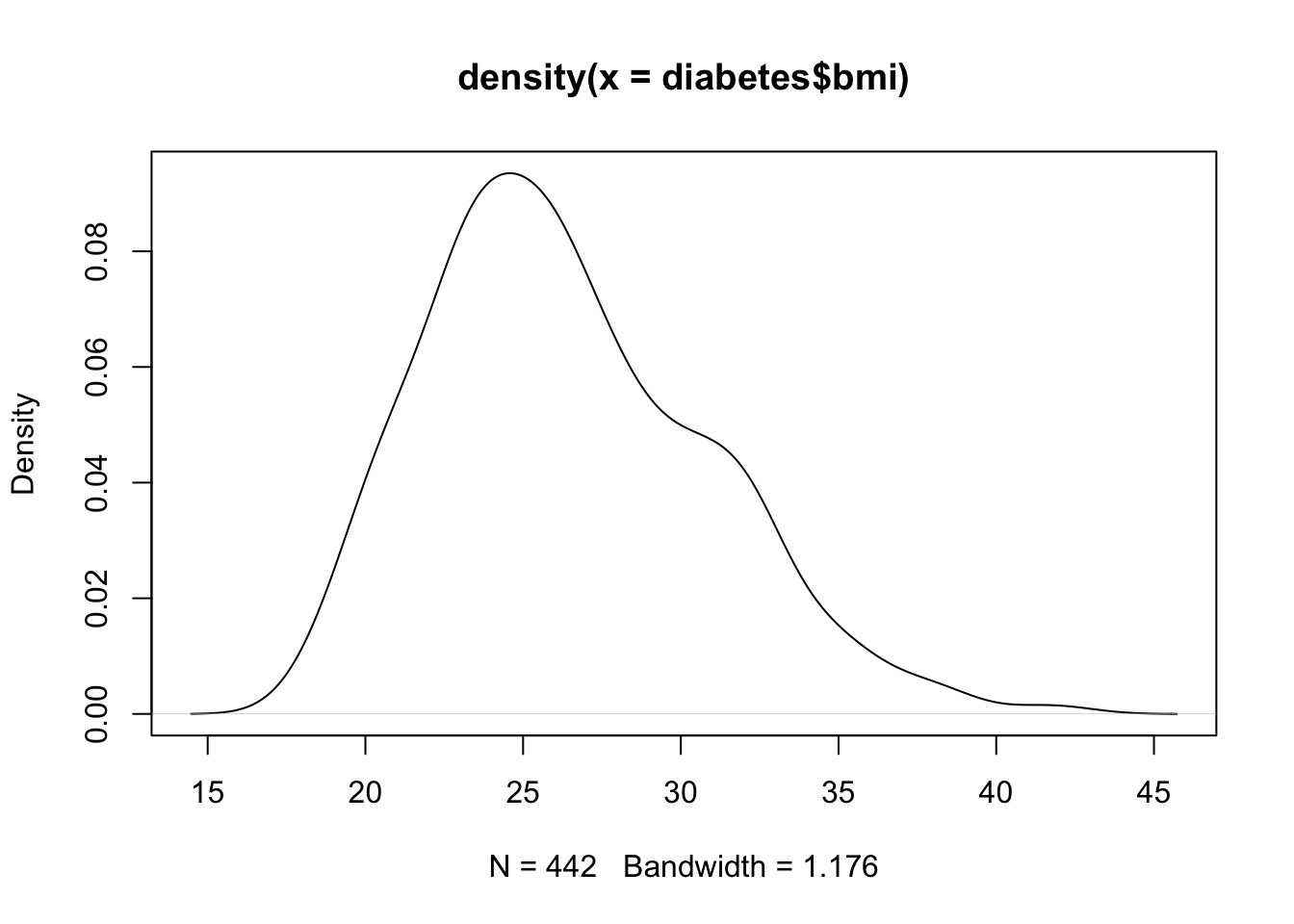
A kernel density plot provides a smoothed estimate of a continuous variable’s distribution. You can think of a density plot as a smoothed version of a histogram: instead of counting observations into discrete bins, a density plot draws a continuous curve that estimates how the probability mass is distributed across the range of the variable. Because they don’t rely on bins, density plots are especially useful for comparing the distributions of several groups on the same chart without the visual clutter of overlapping bars.
In Base R, there isn’t a single function that both computes and plots a kernel density estimate in one step. Instead, we first compute a density estimate with the density() function, and then we plot the resulting object.
Do: Run the code below
d <- density(diabetes$bmi)
plot(d)
See: The code visualizes the distribution of BMI in the diabetes dataset. Given that BMI in a general patient population tends to have a long tail toward higher values, the curve is right-skewed. It mirrors the same kind of asymmetry we saw in the BMI histogram, only now represented as a single smooth line instead of a series of bars.
Just as a histogram’s appearance depends on its bin width, a density plot’s smoothness depends on its bandwidth: a parameter that controls how much the estimate smooths out the underlying data. We can control the bandwidth via the bw argument to density().
Predict: What will happen to the curve as we move from a very small bandwidth to a very large one. Will the curve become smoother or spikier as the bandwidth increases?
Explain:
plot(density(diabetes$bmi, bw = 0.3),
     main = "Very Small Bandwidth")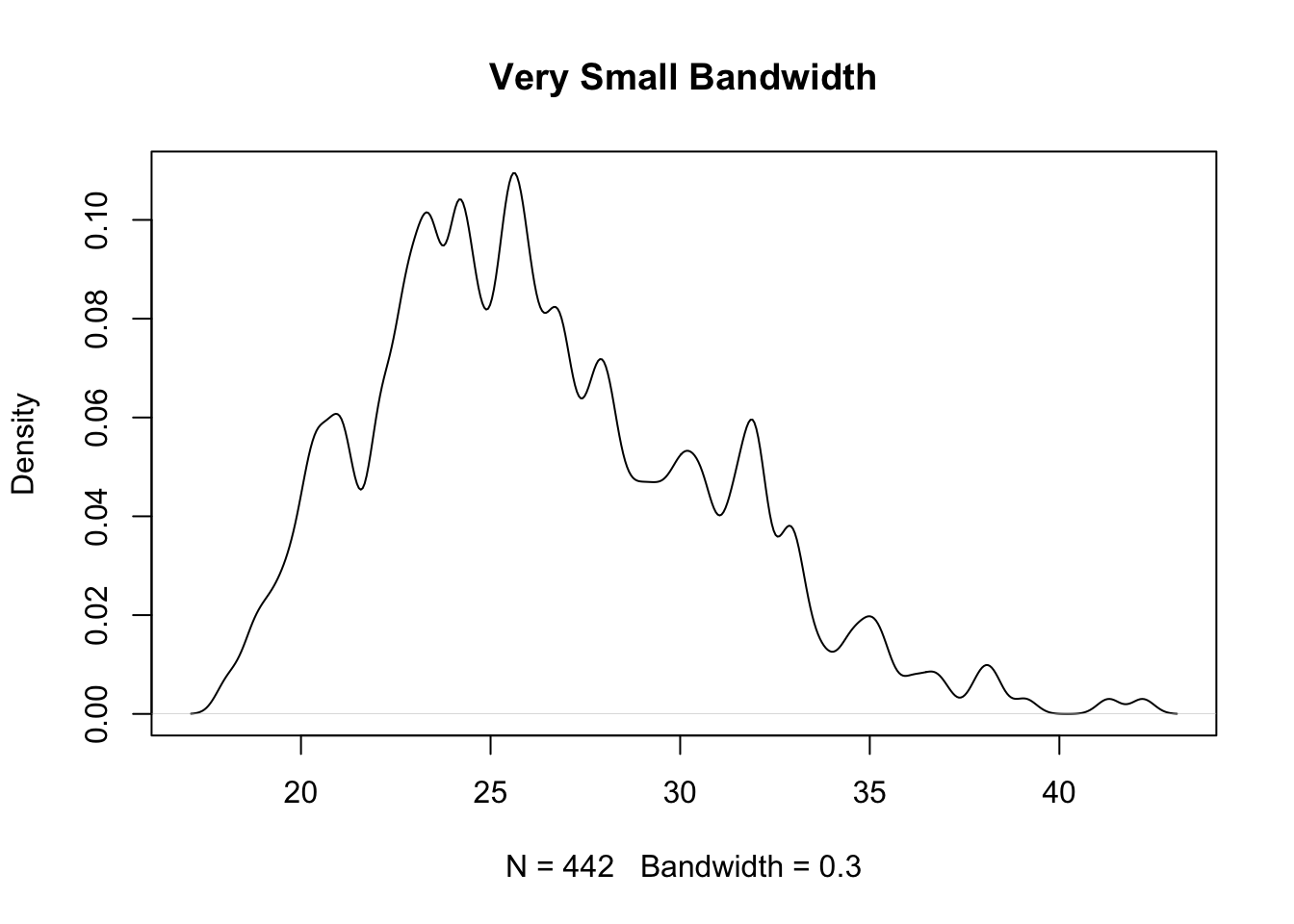
plot(density(diabetes$bmi, bw = 5),
     main = "Very Large Bandwidth")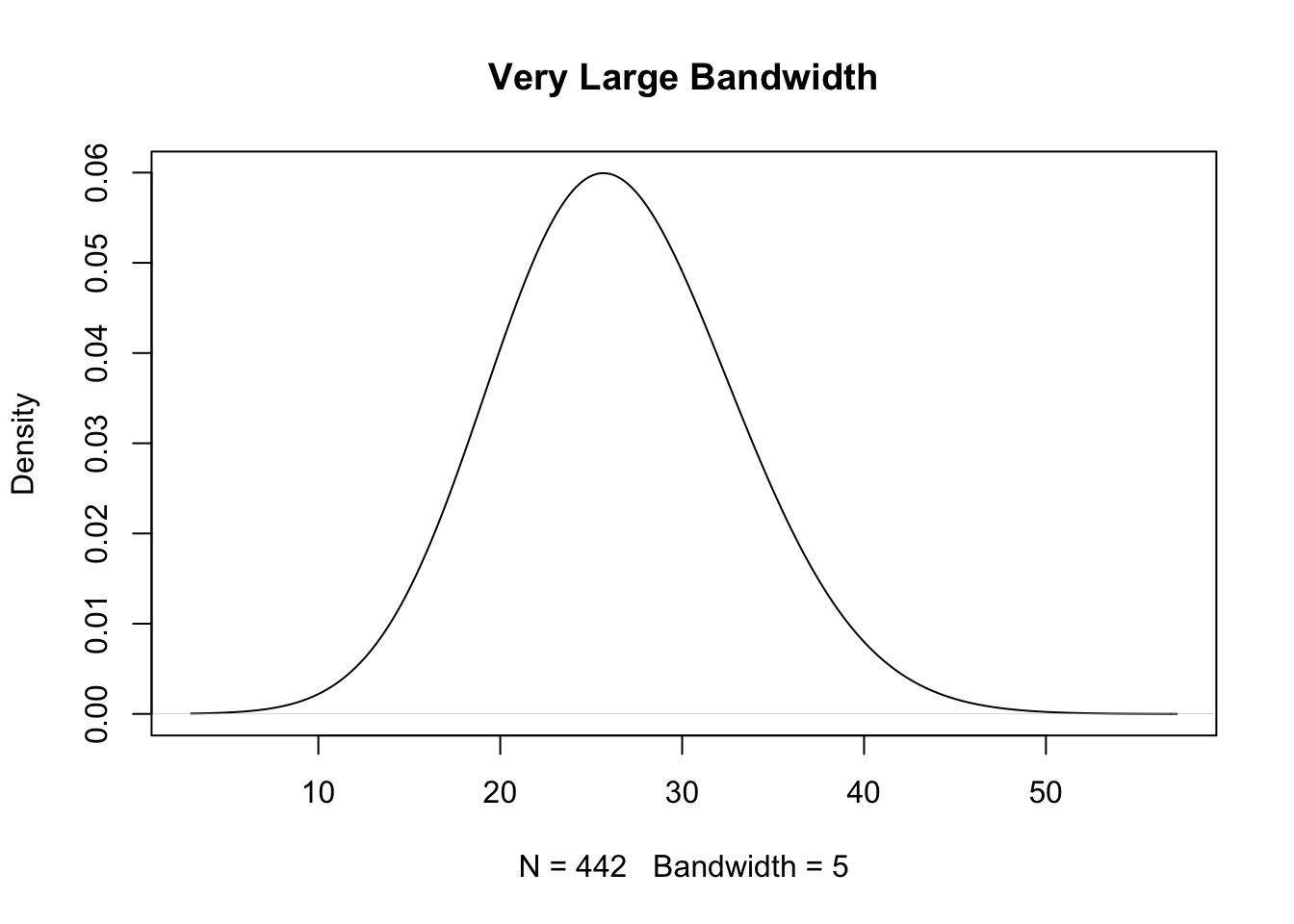
When running the code above, you see that with a very small bandwidth, the curve closely tracks every small fluctuation in the data, producing a spiky, under-smoothed estimate that mostly reflects sampling noise rather than the true shape of the distribution. With a very large bandwidth, the curve becomes very smooth, but an overly large bandwidth can smooth away real features of the distribution, such as separate modes or a sharp peak. As with histogram bin width, choosing a reasonable bandwidth is a balance between showing genuine structure and swamping the plot with noise.
It’s tempting to trust whatever bandwidth density() chooses by default and read the resulting curve at face value. But the default bandwidth is just one reasonable choice among many, and a curve that looks perfectly smooth might be hiding real structure in the data (oversmoothing), while a jagged curve might be mostly noise (undersmoothing). It’s good practice to try a couple of different bandwidth values, as we did above, before drawing conclusions about the shape of a distribution from a density plot alone.
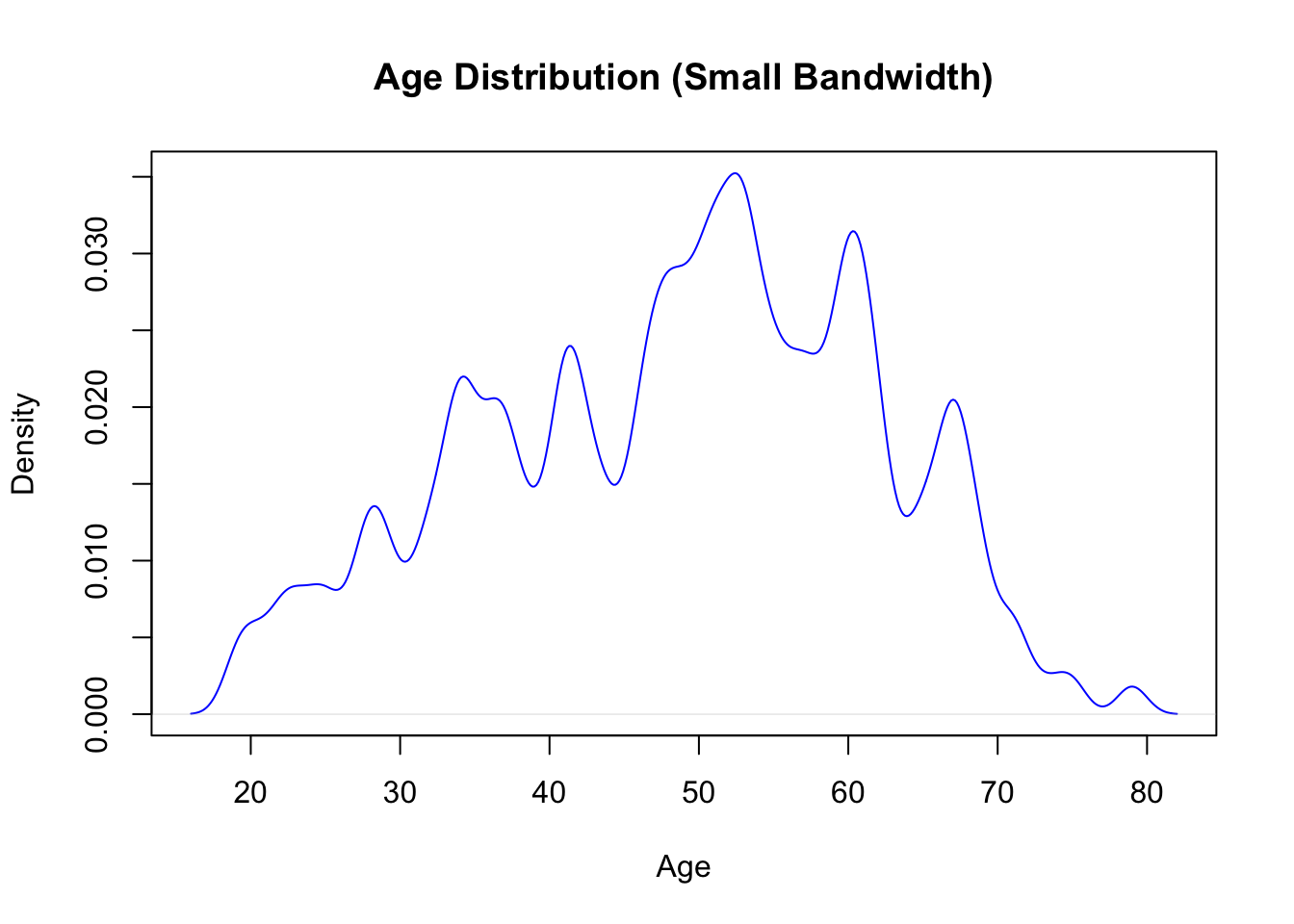
Make a kernel density plot of the age distribution in the diabetes dataset.
bw = 1) to see the effect of undersmoothingNOTE: The diabetes dataset is already loaded in the working directory of this webr session.
To implement these adjustments, besides adjusting the bw in density() you will also need to set the following parameters in the plot() call.
xlabmaincolYou can see the full list of arguments accepted by plot(), along with their default values, by running ?plot or ?plot.default. The STHDA tutorial on R graphical parameters is also a good reference for the full set of col, main, and axis-label options.
plot(density(diabetes$age, bw = 1),
     xlab = "Age",
     main = "Age Distribution (Small Bandwidth)",
     col = "blue")